How to Write a Good Rap with a Rap Lyrics Generator
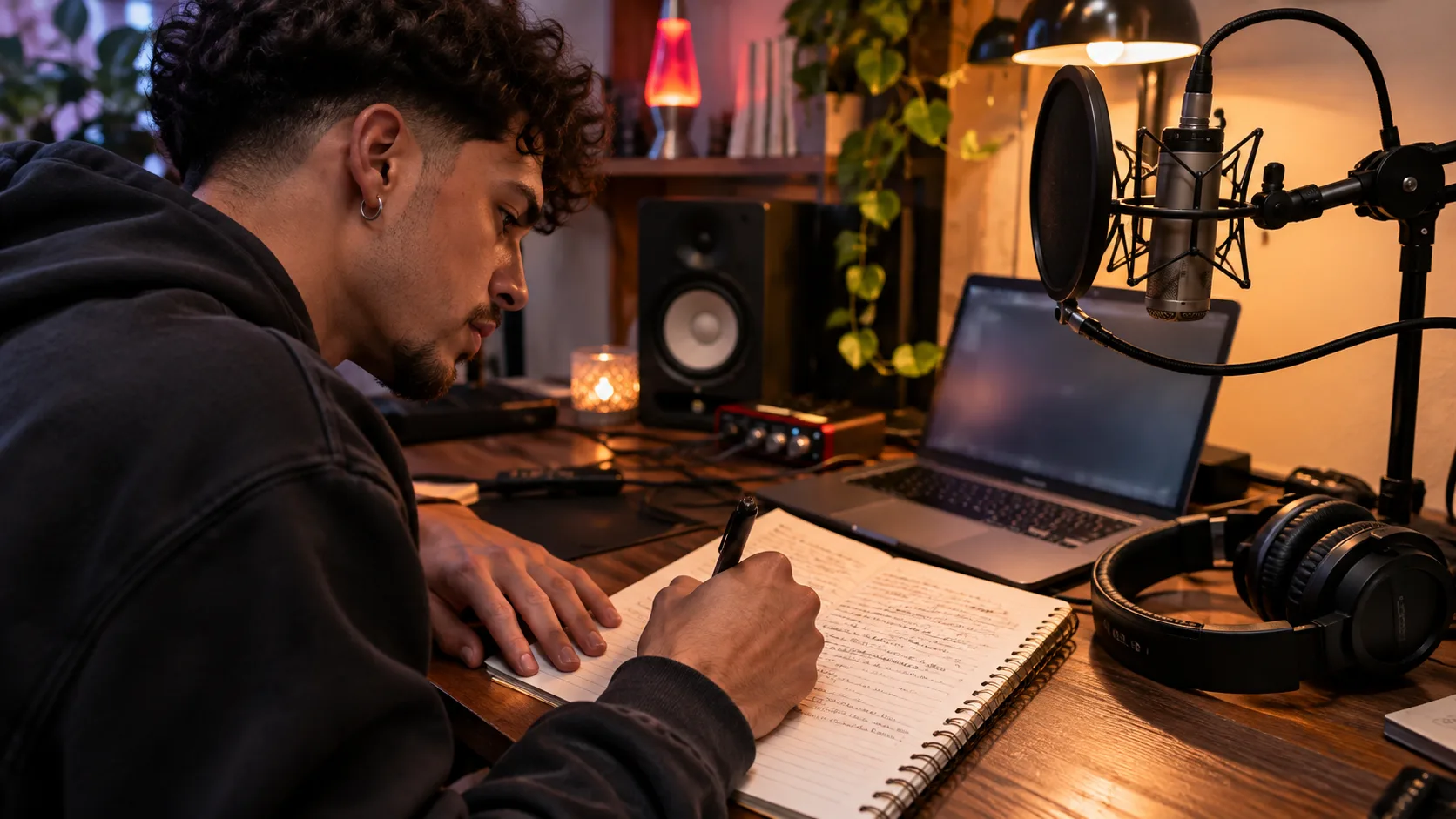
Open the rap lyrics generator, describe a specific scene, then choose your style, emotion and language. Generate a draft, read the bars aloud and revise the lines that feel crowded. This tutorial takes you from a topic to a lyric sheet you can copy and develop into a recorded rap.
What is a rap lyrics generator?
A rap lyrics generator uses your writing brief to draft rap verses and hooks. AI Music.Video returns a title and lyric text, with controls for rap style, language, emotion and rhyme targets. You shape the story through the input, then check the wording and delivery in the result.
Prepare one subject and a place to keep your edits. Sign in and check your credit balance. At the time of this tutorial, each generation costs 20 credits, or 5 credits with an active paid subscription. The signed-in generation button displays the charge. Review current plans and credits before submitting.
1. Give the rap lyrics generator a scene to write
Use Topic to describe who is speaking, what happens and how the moment ends. The field accepts up to 1,200 characters. A scene gives the verse objects and actions to return to. Start with a few sentences so you can judge whether the draft follows your idea.
For this example, write about a night-shift baker taking the last train home. Give the character a flour-covered jacket, an unanswered message and a reason to keep going. These details can carry emotion through the verse. Use the song idea exercise if you need help choosing a subject.
Paste this example into Topic, then change the details to match your own story.
A night-shift baker takes the last train home after a difficult week. Show flour on the jacket, an unanswered message and the empty platform. Begin tired and end determined to open a small bakery. Keep the story grounded in these details.
The example supplies a character, setting and change in mood. Those details give you a concrete way to review the output. Check whether the verses develop the baker's decision and keep the setting consistent.
2. Choose rap style, emotion and rhyme targets
Select Boom Bap for the example, Reflective for Emotion and English for Language. The tool also offers styles such as Trap, Drill and Emo Rap. Choose the style that fits your intended delivery. Keep it unchanged for the first draft so you have one clear direction to evaluate.
Enter night, light, rise in Rhyme Target. Separate words with commas and stay within the 80-character limit. Pick words that belong in your story. A long list of unrelated rhyme words can pull the verse away from its subject.
Title also accepts up to 80 characters. Enter Last Train, First Batch or leave it blank for an automatic title. The generated wording can vary between requests, even when you reuse the same brief.
3. Use Studio Settings to guide structure and flow
Subscribers can open Studio Settings to change seven writing controls. For the baker example, try Story, Medium tempo, First POV and Storyteller persona. Keep Clean selected for Profanity Level. These choices ask for a narrative with steady phrasing and a consistent speaker.
Rhyme Focus changes the requested rhyme density. Low asks for clear end rhymes. Medium adds internal rhymes and occasional multisyllabic patterns. High asks for sustained rhyme chains and more complex patterns. Start with Medium and check whether the words remain easy to say.
Structure Bias offers Radio for verses with a short hook, Story for developing events and Freestyle for continuous verse sections. Tempo describes phrasing speed. You can also add broad artist influences, such as storytelling or energy, in Influenced by Artists. The generator can interpret these directions imperfectly, so review the result.
4. Generate rap lyrics and revise them aloud
Select the generation button. If you are signed out, the first click opens sign-in. Once your account loads, check the displayed price and submit. Accepted requests appear in My Creations under Lyrics. You can return there to check progress after leaving the page.
Read the completed draft over a steady beat. Mark the line endings and listen for the rhyme. Put a slash where you need a breath. Shorten any line that forces you to rush its final words. Similar line lengths can help you begin, while spoken stress determines the actual flow.
Review the story separately. Check the speaker, sequence of events and repeated images. Replace vague boasts with details from the baker's journey. Remove empty section labels and repeated lines that add nothing to the story. Our rap delivery guide explains how to test the revised words with music.
5. Copy the draft and prepare your next production step
Choose Copy lyrics and paste the result into your editor. Keep the original draft beside your revision. You should now have a titled lyric sheet with a clear subject, usable rhyme groups and phrases you have tested aloud. Saved results remain available in My Creations.
To develop a recording, bring the edited words to AI Music Generator and review that tool's settings and credit charge. Listen to the finished audio before planning visuals. The AI music video generator homepage introduces the next stage of turning your track into a visual story.
Rap lyrics generator FAQ
How do I fix awkward rhymes in generated rap lyrics?
Read each rhyme pair aloud and replace words that distort the meaning. Shorten crowded phrases, then check them against your beat again. For another generated draft, simplify the topic or choose fewer rhyme targets. A new generation uses credits, so save useful lines before submitting again.
What should I do if my lyrics are still generating?
Open the saved request in My Creations and check its status. If the page offers Retry saved request, use that control to check the original submission. A failed task returns its credits. For a request that stays under review, contact support with the saved task details.
Can I generate rap lyrics in another language?
Yes. Language offers ten choices, including English, Spanish, Japanese and Simplified Chinese. Choose the intended lyric language before generating. Review pronunciation and rhyme sounds with a fluent speaker, especially when a phrase includes names or slang. The interface controls remain in English.
Open the rap lyrics generator and write one scene in Topic. Choose a style, check the credit price and generate your first draft.
Related Blog
 Guide
AI Music Video Generators With Lip Sync: A Practical Guide for Musicians
Choose a lip-sync workflow for your next music video. Compare six production approaches, plan a consistent performer, and build singing scenes around your song.
Read article →Music Maker Games and Finished Tracks: What Changes
Understand what a music maker game can help you sketch, what to check before export, and how to develop the idea into a track for a music video.
Read article →