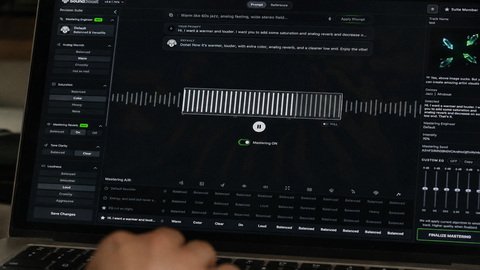
Music Mastering
Shape the final sound of your track with online mastering. Adjust the balance and prepare your mix for the places where your listeners play music.

Find the tempo of any song by tapping along to the beat. Use your mouse, touch screen or space bar to measure beats per minute.
Follow the rhythm for eight taps to see your BPM, timing and consistency. Adjust the note value, ignore your first taps or fine-tune the result. Save measurements in this browser, copy the BPM or share a link. No audio upload, account or installation required.
Taps: 0 / 8
Space: tap · ↑/↓: adjust · [ / ]: halve / double · N: new · S: save · C: copy
No measurements yet
Explore more ways to shape your sound and turn it into a visual story.
Explore tools →Shape the final sound of your track with online mastering. Adjust the balance and prepare your mix for the places where your listeners play music.
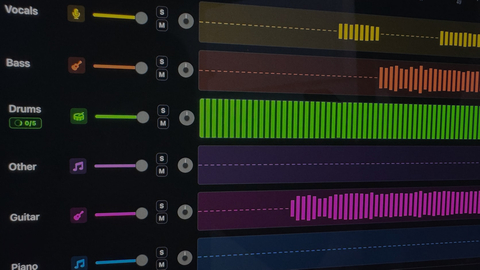
Separate vocals and instruments into individual parts. Explore a mix, practice with a backing track, or focus on a particular element of the music.

Turn your song into a visual story. Start with a track and an idea, then explore ways to create scenes that match the mood of your music.
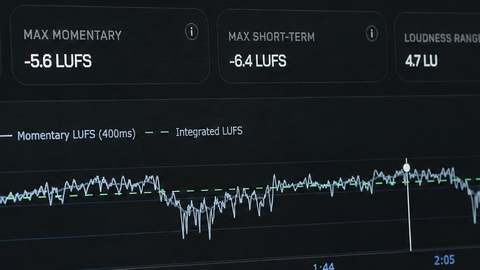
Explore free tools to inspect and prepare your audio. Check loudness and other details as you work toward a version ready to share.
Play your song and tap along with a steady beat. BPM Tapper calculates beats per minute from the time between your taps. Keep tapping through a consistent section so one late or early tap has less influence on the result.
No. BPM Tapper is free to use in your browser without signing in. You tap while listening to audio from any source; the tool does not upload or analyze your audio file.
You may be tapping subdivisions or every other beat. Use the half or double control to compare tempos, then tap the main pulse again. The note-value setting helps you account for the rhythm you are tapping.
Tap a regular section rather than an intro with pauses or changing tempo. Use at least eight taps, ignore early taps if you needed time to find the beat, and compare a second reading. Rounding changes how the result is displayed; it does not correct uneven tapping.
Yes. After eight taps, save the measurement and repeat for another song. Saved readings stay in this browser. Keep a separate copy of important values because clearing browser storage can remove the saved list.
The share link lets someone open the tempo settings in BPM Tapper. It does not contain your song or send an audio recording. Use Copy if you only need the BPM value for a project note or music session.