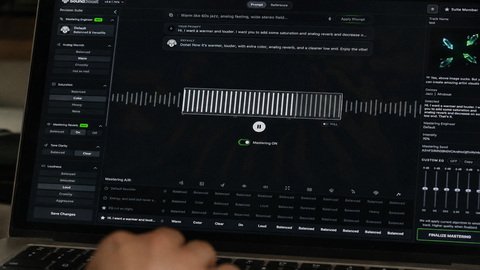
Music Mastering
Shape the final sound of your track with online mastering. Adjust the balance and prepare your mix for the places where your listeners play music.

Generate original song lyrics in any style. Shape your topic, mood and story, then use Studio Settings to refine rhymes, structure and vocal parts.
Choose your words, shape the story and keep the lyrics in My Creations.
Start with a scene, a feeling or a line you cannot forget.
Start with a moment you can picture. Tell the editor what happened, who matters and what changed. A spare key, a missed train or a line from a conversation can give the draft a clear center.
Keep Keywords for images and objects. Use Emotions for the feelings that can change across the verses, and Mood for the overall tone. The audience and the time since the event stay separate from the narrator's point of view.
Choose a style and language, then add the details that matter. Ideas and Surprise me change only the local form. Studio Settings let subscribers guide rhymes, structure and voices. The button shows the credit cost before generation.
Read the result aloud, keep the lines that fit and revise the rest. Your title and full lyrics stay in My Creations, including tasks that finish after you leave.
Start with a focused style when you know the kind of phrasing or story you want to work on.
Explore more ways to shape your sound and turn it into a visual story.
Explore tools →Shape the final sound of your track with online mastering. Adjust the balance and prepare your mix for the places where your listeners play music.
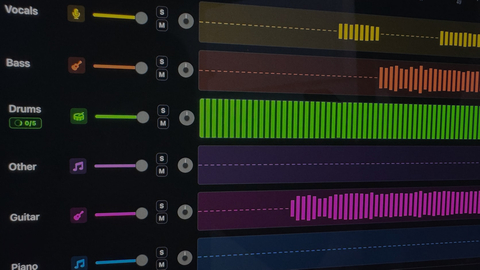
Separate vocals and instruments into individual parts. Explore a mix, practice with a backing track, or focus on a particular element of the music.

Turn your song into a visual story. Start with a track and an idea, then explore ways to create scenes that match the mood of your music.
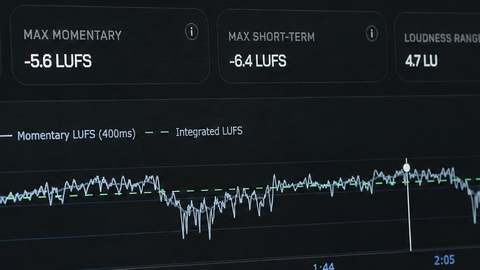
Explore free tools to inspect and prepare your audio. Check loudness and other details as you work toward a version ready to share.
Choose a style, describe a scene or idea and select the lyric language. Add keywords, emotions and a mood when they help. Sign in, review the displayed cost and click Generate.
The general generator includes pop, country, rap, rock, R&B and more. Selecting a style changes its writing guidance and available settings. It does not start generation.
Subscribers can adjust writing controls such as structure, rhyme focus, tempo, voice and references. Available controls depend on the style. Tempo guides phrasing rather than audio BPM.
Each accepted generation costs 20 credits, or 5 credits with an active paid subscription. Local ideas, copying and opening a saved result use no credits.
Accepted tasks appear in My Creations under Lyrics. Open the record to read its status or copy the saved title and complete lyrics. Leaving this page does not cancel a task.