
I only ate 3 cheeseburgers!Country, catchy · 3:14Download
Add AI vocals to your instrumental track. Upload a beat or backing track, describe the vocal style, and add optional lyrics. Preview and download the results.
Choose your instrumental audio and describe the vocal style you want.
Upload an MP3 or WAV up to 15 MB, enter a public HTTPS audio URL or choose a completed track from My music. An upload receives a public link. Use audio you have permission to process.
Enter a title, the vocal style and styles to exclude. Add lyrics if you want specific words and adjust the optional weights. Submit the task for 20 credits without a subscription or 10 with an eligible paid subscription, then listen to and download the available tracks. The service does not promise a specific source duration or result length.
Have a vocal recording? Try Add Instrumental to add accompaniment.
Writing words for your instrumental? Use the Rap Lyrics Generator to draft verses around your theme and rhyme targets before adding a vocal performance.
Explore more ways to shape your sound and turn it into a visual story.
Explore tools →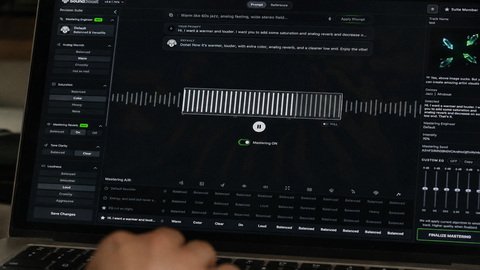
Shape the final sound of your track with online mastering. Adjust the balance and prepare your mix for the places where your listeners play music.
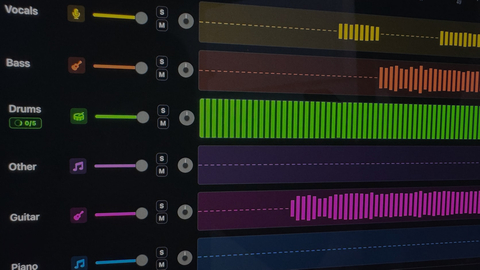
Separate vocals and instruments into individual parts. Explore a mix, practice with a backing track, or focus on a particular element of the music.

Turn your song into a visual story. Start with a track and an idea, then explore ways to create scenes that match the mood of your music.
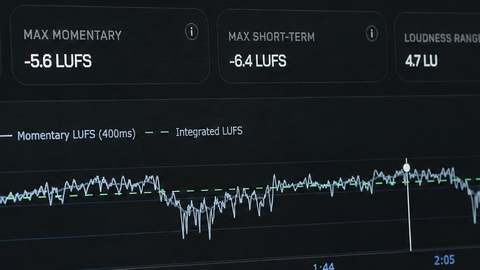
Explore free tools to inspect and prepare your audio. Check loudness and other details as you work toward a version ready to share.
Choose an instrumental as your source, enter a title and describe the vocal style you want. Fill in Exclude styles, add lyrics if you have them, then submit an Add Vocals task. Listen to the result to check how the singing fits your arrangement.
Yes. Upload an MP3 or WAV up to 15 MB, paste a public HTTPS audio link or choose an eligible track from My music. Use a track you have permission to work with. An instrumental source gives the new vocals room in the arrangement.
Yes. Paste your lyrics into the Lyrics field to request specific words. Lyrics are optional, but adding them gives the task your intended song text. Review pronunciation, phrasing and timing in the result before publishing.
Use Style to describe the vocal delivery, mood and genre, such as a soft, intimate pop vocal or an energetic rock performance. Use Exclude styles for qualities you want to avoid. A style description guides the result; it does not guarantee an exact voice.
No. The workflow adds generated singing to an instrumental from your style and lyric instructions. It does not provide a voice-cloning control or promise to reproduce a particular singer. Choose a musical description instead of relying on an exact vocal identity.
Each Add Vocals task costs 20 credits without a subscription or 10 credits with an eligible paid subscription. Once it finishes, available audio results appear in Your music for playback and download. Listen to the complete track to check the vocal entry, ending and fit with the backing music.